


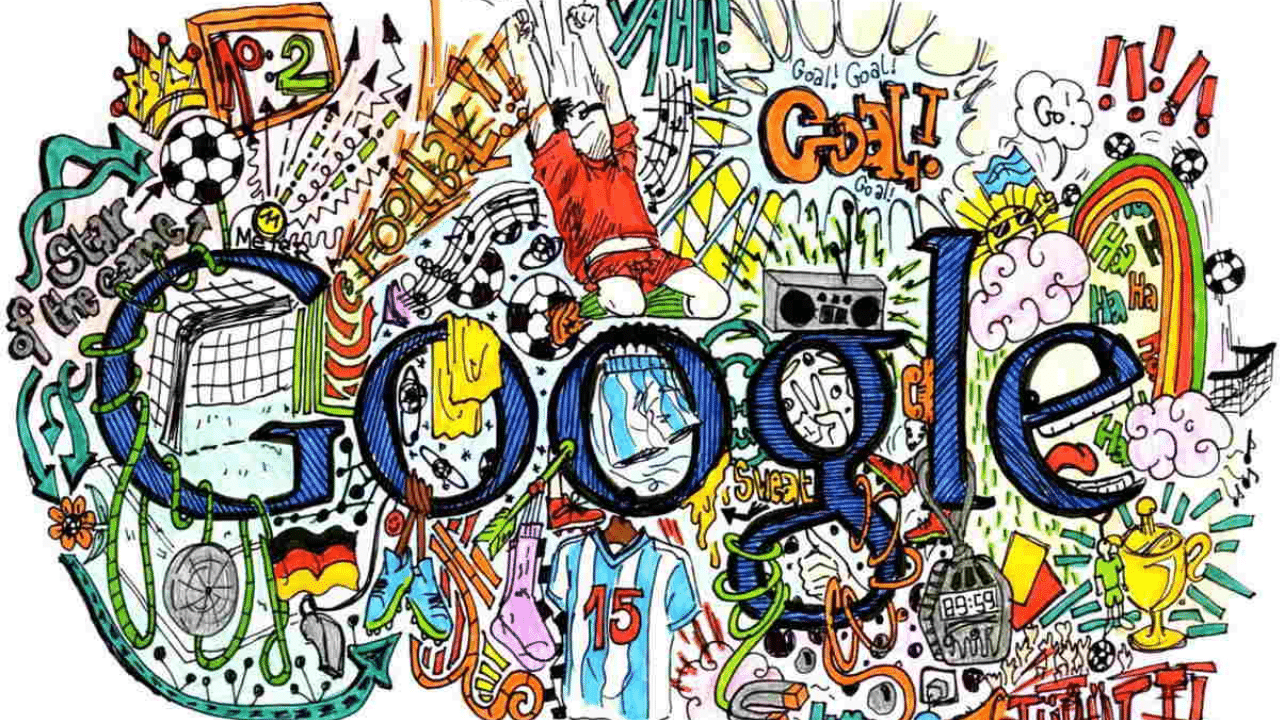
Are you a budding artist with a passion for creativity and innovation? The Doodle for Google Scholarship is an incredible opportunity for K-12 students to showcase their artistic talents and earn scholarships for their education. This annual contest invites students to design a Google Doodle inspired by a theme, giving them a platform to express themselves and make their mark.
Table of contents
About the Doodle for Google Scholarship
Google has always been known as a champion for creativity and for creating environments where ideas blossom into innovations, but with the Doodle for Google Scholarship, this philosophy is extended to the arts. Through this competition, artistic students have the opportunity to craft an original “doodle” that brings their personal goals and creativity to life—on a global stage. This year’s theme is “My Wish for the Next 25 Years.”
Scholarship Summary
- Level of Study: K-12 students
- Institution(s): Schools in the United States
- Eligibility: Open to all U.S. students in grades K-12
- Theme: “My Wish for the Next 25 Years”
- Program Duration: Annual contest
- Deadline: Typically March
Scholarship Details
The Doodle for Google Scholarship offers exciting rewards for winners:
- National Winner: The overall winner receives a $55,000 college scholarship, $50,000 in tech for their school, Google hardware, and their Doodle featured on Google for a day.
- National Finalists (5): Receive a $5,000 college scholarship, Google hardware, and swag.
- State and Territory Winners (55): Receive Google hardware and acknowledgment on the Doodle for Google gallery.
Winning entries are also displayed on the Google homepage, giving young artists the opportunity to share their work with millions of people worldwide.
Eligibility Criteria
To participate in the Doodle for Google Scholarship, students must meet the following criteria:
- Be enrolled in grades K-12 in the United States, including homeschooled students and children of military personnel abroad.
- Submit original artwork that aligns with the annual theme.
- Be 13 years of age or older.
- Submissions can be in any medium, including crayons, clay, found objects, digital art, video, etc.
- Entries will be judged based on artistic merit, creativity, and theme communication.
Step-by-Step Application Process
Here’s how students can apply for the Doodle for Google Scholarship:
- Download the Entry Form: Start by obtaining the entry form from the official website.
- Create Your Doodle: Use any materials (traditional art supplies or innovative digital mediums) to create your artwork based on the theme.
- Write an Artist Statement: Reflect on your creation and articulate how it encapsulates your aspirations for the next 25 years (in 50 words or less).
- Submit Your Entry:
- Online: Upload the Doodle and statement in .jpg or .png format through the website.
- Mail: Take a high-resolution digital photo or scan of the entry in good lighting and send it with the entry form to the provided address.
- Meet the Deadline: Ensure your submission is completed before the contest deadline.
Tips for a Winning Entry
- Be Original: Let your personality shine through your artwork.
- Align with the Theme: Ensure your Doodle clearly reflects the annual theme.
- Show Creativity: Experiment with colors, techniques, and ideas to stand out.
- Write a Compelling Statement: Clearly articulate your vision and how it connects to the theme.
Who Should Apply?
The ideal applicant for the Doodle for Google Scholarship is a student who is passionate about the arts and has a strong desire to share their vision for the future through creative expression. Eligible candidates must be enrolled in a U.S.-based school (or homeschooled) and be 13 years of age or older.
Why Choose Doodle for Google?
The Doodle for Google Scholarship is more than just an art competition. It’s an opportunity to:
- Gain recognition on a global platform.
- Receive financial support for future education.
- Inspire others with your creative vision.
- Connect with a community of young artists and innovators.
Apply Now
To learn more about the Doodle for Google Scholarship and submit your application, visit the official Doodle for Google website. Don’t miss this chance to showcase your creativity and earn scholarships—apply today!
